Color-Coded Profitability Guides
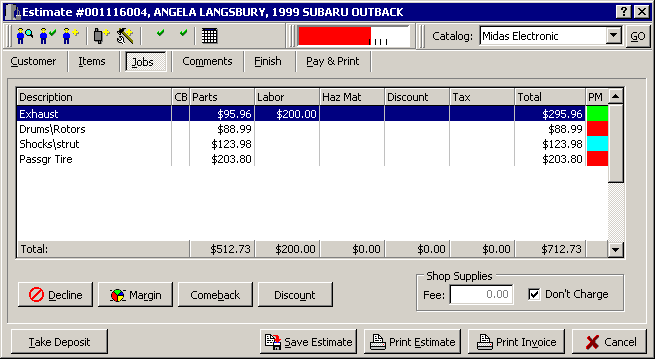
Know with a quick glance your profitability on the ticket by scanning the margin indicator at the top of the screen, as well as the color-coded PM at the end of each job. A quick glance at this example tells us that the profit on the exhaust is within the parameters we have set. But the margins realized on the brake, shocks and tires are below acceptable levels.
You can also click your way to profitability when adding parts to a ticket. When the part information is displayed, the margin is also displayed.
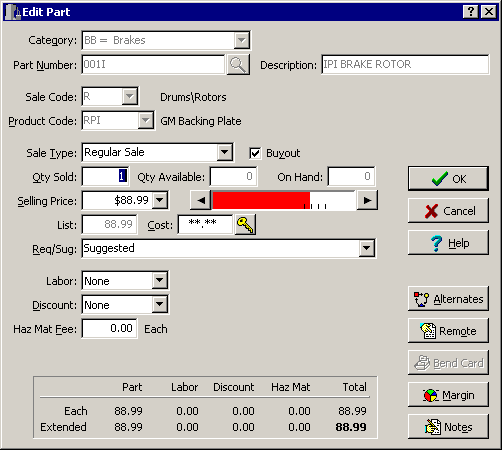
Just use your mouse to click on the right side of the margin meter until it changes color to green (or whatever color you've defined for adequate margins). The Selling Price is automatically increased, and rounded to the nearest .99 with each click. You'll no longer be caught giving some parts away at the expense of high-margins on low-priced parts!
Revised May
25th, 2001
Copyright � 2001 by:
Janco International, Incorporated
All Rights Reserved Worldwide
StockTrac� EZCards�
and TechLink� and are registered
Trademarks of Janco International, Inc.
All Rights Reserved Worldwide