Enterprise Daily Work Log
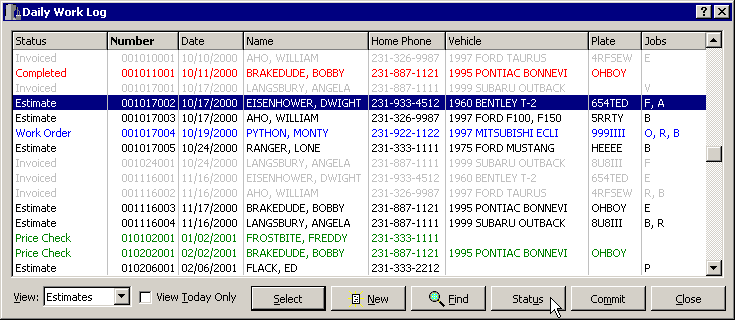
The Daily Work Log is the default Point-Of-Sale screen. It organizes your data in a simple, straight-forward way. Unique color-coding lets you spot the different document types visually. Once the Daily Work Log is displayed, you can further sort the data by specific columns; click on the Name column and it will be sorted by customer last name, click on the Vehicle column and the list will be sorted by the type of vehicle. You can also sort by the Number, Home Phone and License Plate columns.
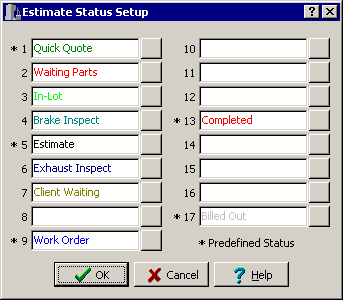
You can even user define the colors you would like associated with each type of Estimate. Color coding makes it easy to recognize the different types of Estimates like Quick Quotes and Work Orders.
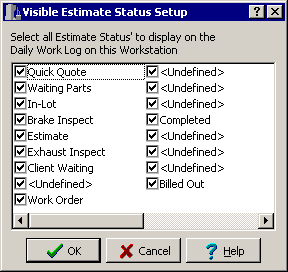
Customize the display of the Daily Work Log at each workstation in your network. This allows you to filter out documents such as Quick Quotes and Billed Invoices from workstations located in the service area of your shop. You can display those type of documents at the front counter where the information is needed.
Revised June 27th, 2001
Copyright � 2001 by:
Janco International, Incorporated
All Rights Reserved Worldwide
StockTrac� EZCards�
and TechLink� and are registered
Trademarks of Janco International, Inc.
All Rights Reserved Worldwide